01
Micro Design System at SAP
My Role
UX/UI Designer
Component library maintenance, UX research
Company
SAP
Duration
2 months
Tools
Figma, CMS, Stakeholder Interviews, Content Audits
How do you create a structure for microsites, meant to promote solutions built on top of an existing, state-of-the-art design system? By resisting the urge to reinvent the wheel.
At SAP, sales and presales teams use the Sites platform to create microsites that showcase SAP solutions for clients. In practice, each microsite was treated as a one-off. Drafting took time, feedback cycles were long, and nearly 75% of microsites required major revisions after the first delivery.
The goal wasn’t to redesign SAP’s visual language—but to make it easier to use.

Listening before designing
To understand where friction occurred, I spoke with 10 stakeholders across sales and presales teams. These conversations focused less on visual preferences and more on how microsites were requested, reviewed, and revised. Alongside this, I audited SAP Fiori to identify which components and patterns could be reused without diluting brand consistency.

What emerged was a clear tension: stakeholders wanted speed and clarity, but still expected the polish and cohesion of SAP’s design language. Visual consistency wasn’t negotiable—but flexibility and iteration were.
Underlining structure
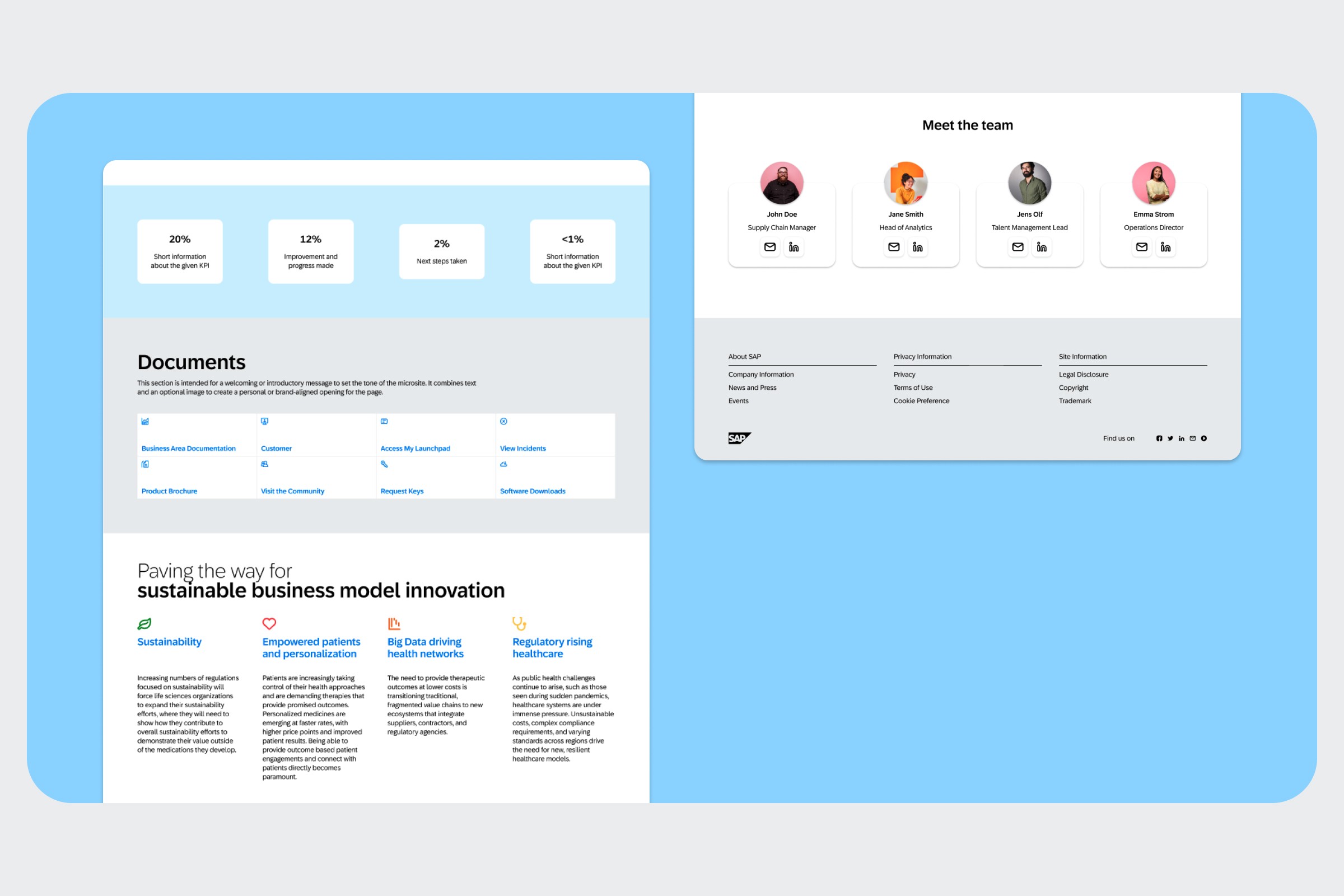
A follow-up survey revealed that despite surface differences, most microsites shared the same underlying structure. Headers, product highlights, case studies, and team sections appeared again and again, regardless of client or solution.
This shifted the problem space. Instead of designing endless layouts, the opportunity was to define a small set of reusable, content-driven sections that could support most use cases.
Minimal system, built on familiar foundations
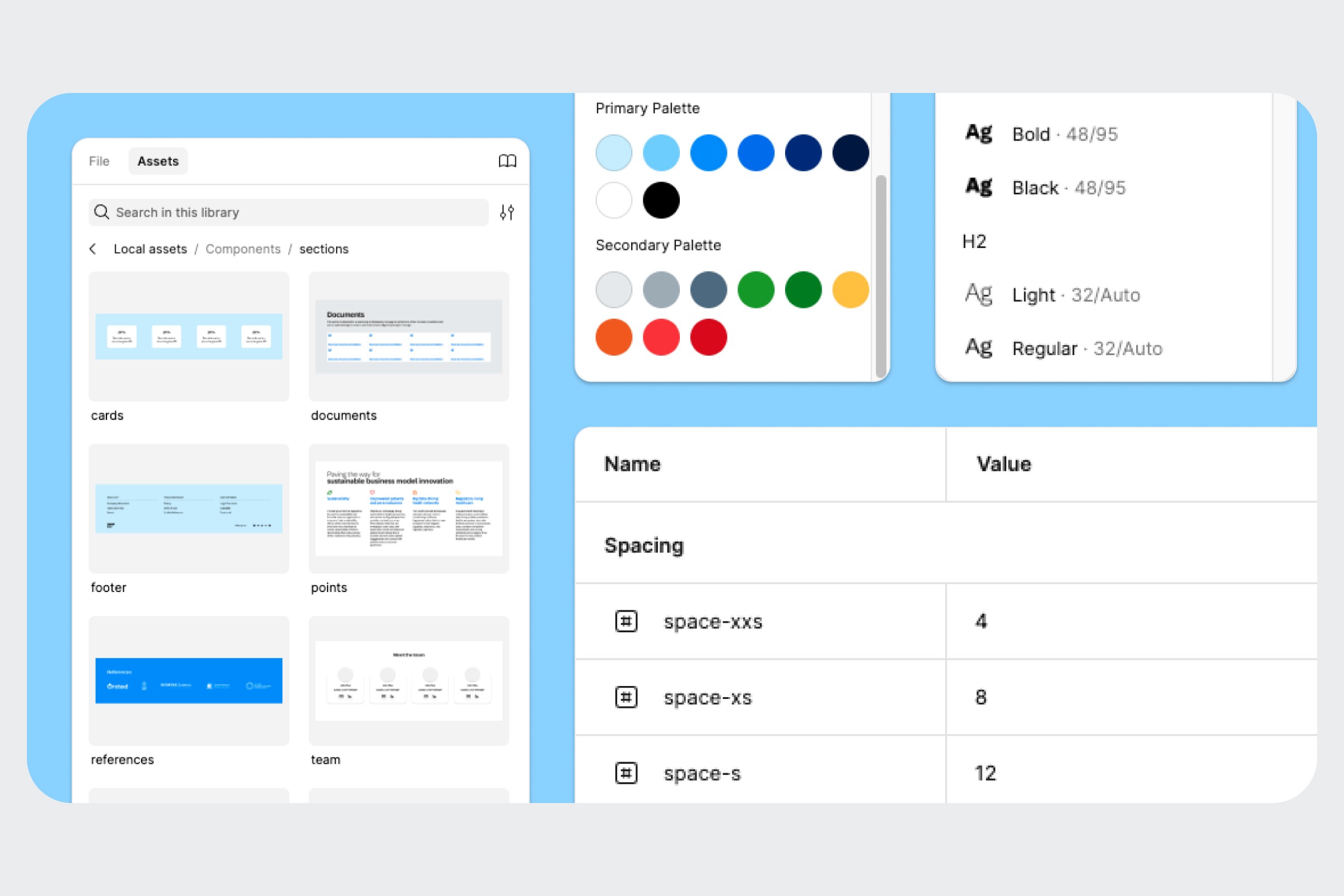
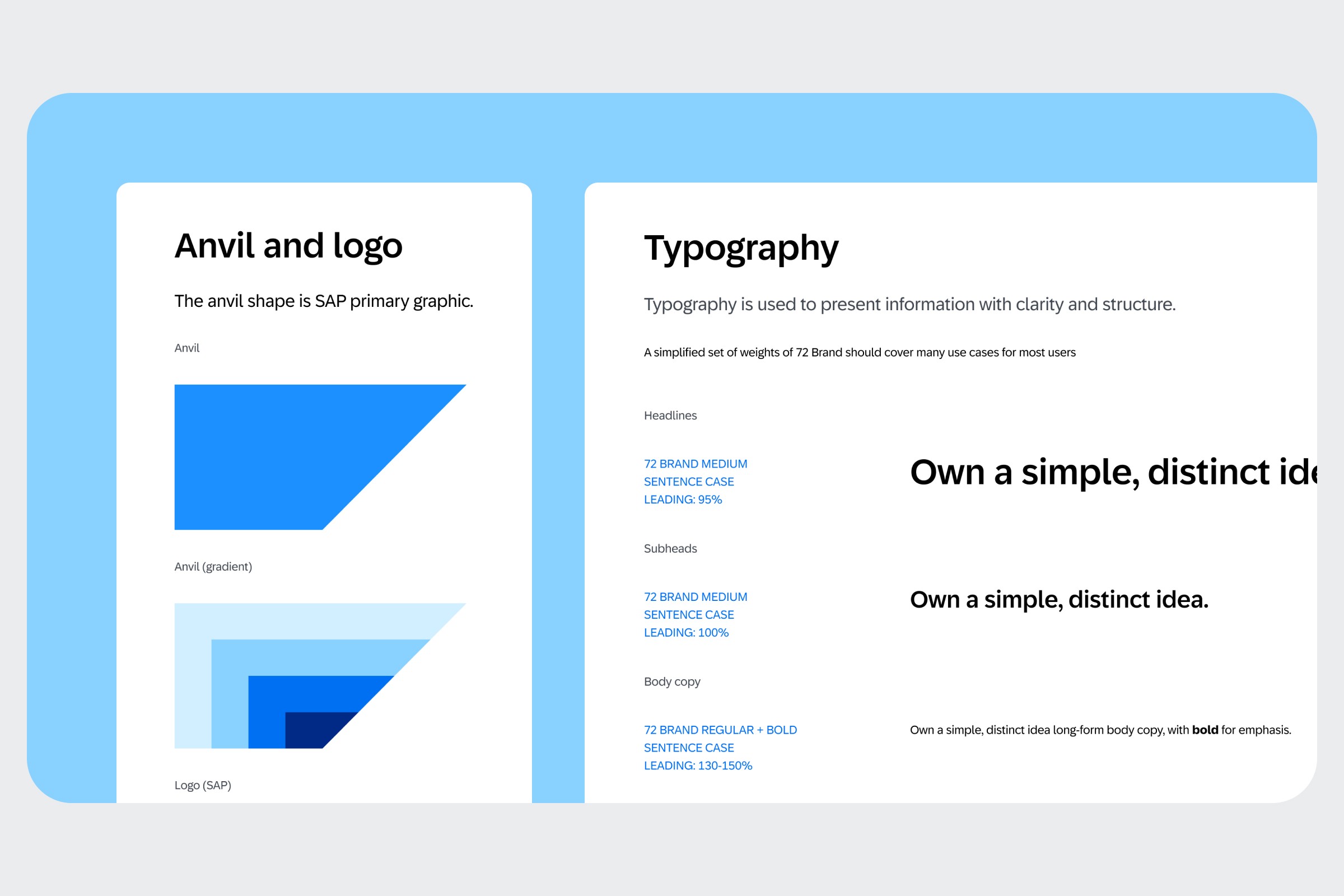
Rather than creating a new system, I anchored the work around SAP Fiori. Colour, typography, and component behaviour were inherited—yet simplified.
In Figma, I designed a set of flexible templates composed of predefined content blocks. These allowed teams to quickly visualise structure and hierarchy while staying within SAP’s established design language. The system was intentionally small, focusing only on the sections stakeholders used most frequently.


What changed and what didn’t
The resulting micro-design system enabled faster visual exploration and more consistent microsite proposals. Designers could move quickly without debating fundamentals, and stakeholders responded positively to seeing structured, on-brand layouts earlier in the process.
However, early feedback also revealed an important limitation: while the system worked well for designers, it didn’t fully address the real bottleneck—how microsites were requested in the first place.
A necessary course correction
In hindsight, the most valuable outcome wasn’t the Figma library itself, but the insight it surfaced. The assumption that a higher-fidelity system would solve process inefficiencies proved incomplete. For many stakeholders, a simpler, more structured intake tool would have been more impactful than a polished design framework.
This realisation reframed the next steps. Rather than refining visuals, the focus now is on mapping the end-to-end request flow and co-creating a more practical entry point—potentially outside of design tools altogether.
Looking ahead
This project reinforced a lesson I carry forward: good design systems don’t start with components—they start with workflows.
While the system I delivered strengthened internal consistency and sped up concepting, its real value was in revealing where design alone couldn’t fix a process problem. The next iteration will begin not in Figma, but in workshops—aligning tools to how people actually work, not how we assume they do.